

The Blink Host Portal gives hosts clear oversight and easy control of their chargers. Cloud-based and real-time, it lets you download reports, set flexible pricing, and monitor charge events — all so hosts and drivers get a better charging experience.
Increased visibility and control over your charger network
Blink Network: Host Portal
Manage your EV network with confidence

What you get
Real-time oversight of your network and station statuses
Fast search and filtering for chargers and locations
Cloud management with remote updates
24/7 Customer Support Center with action tracking
Blink Network Operations Center (NOC) actively monitoring the network
Secure, enterprise-grade infrastructure with geographically separated disaster recovery
Built-in feedback tools so hosts can tell us what’s working (or not)


Your advantage with the Blink Host Portal
From monitoring charger health to managing pricing and reviewing detailed reports, the portal streamlines operations and saves you time. With built-in support tools and automated oversight from Blink’s NOC, you can manage your chargers confidently and efficiently.
host portal
Access control and visibility
Our new Blink Network host portal comes with an intuitive new design that is focused on giving site hosts more visibility of their chargers. Paired with an array of different features, our proprietary cloud-based software allows site hosts to download reports, apply flexible pricing, and monitor real-time charge events.
Blink Drive App
View charging session details
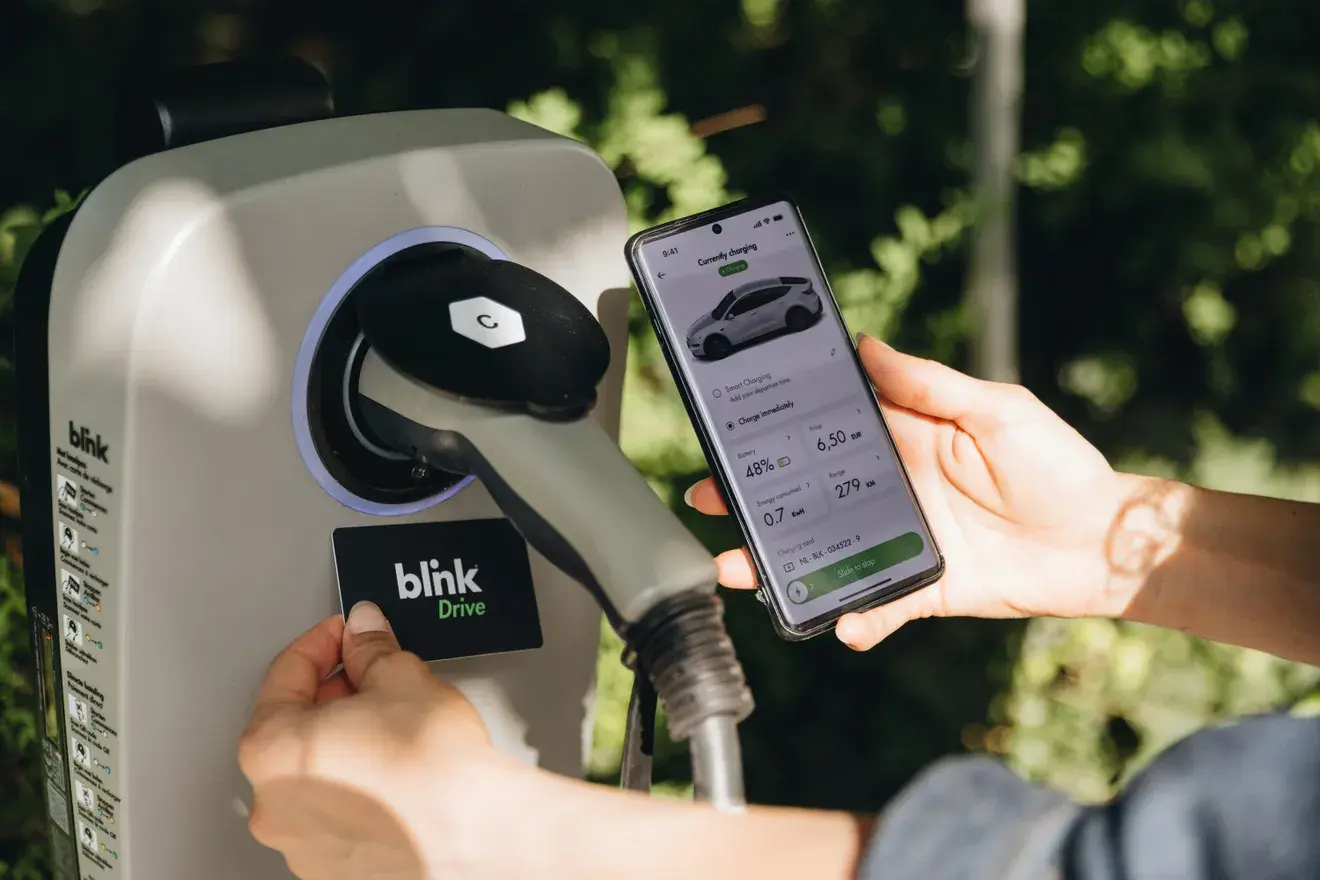
Drivers can take control of their charging experience at home and on the go. View the charging speed, total energy delivered, session duration, and the estimated cost to reach that full charge. Manage all charging sessions by being able to start, pause, end, and restart a charge.
Features that keep you moving
Explore the smart, reliable features designed to give hosts full visibility and control over their charging network.
Real-time network oversight
Real-time oversight of charging network and station statuses.
Advanced search
Fast search and filtering of chargers and locations.
Cloud controls
Real-time cloud-based management capabilities with remote updates.
24/7 customer support
24/7 Customer Support Center with action-tracking system.
Proactive network monitoring (NOC)
Blink Network Operations Center (NOC) proactively monitors and manages Blink Network.
Built-in feedback tools
Integrated feedback functionality to help improve user experience.
Secure, high-availability infrastructure
Secure, high availability, enterprise-grade infrastructure and software technologies with geographically separated secondary systems for disaster recovery and management.
Learn more from a Blink expert
Our team can show you how the Host Portal works and how it can simplify your charger management.
Frequently Asked Questions
Blink Network: Host Portal FAQs
Here are the top questions asked by hosts like you.
Is there a carbon savings report in the portal?
Not right now. We’re exploring it, but carbon calculations vary by country and region, which complicates standard reporting.
In the individual sessions can we see plug in time and charging start time separately?
There's no date stamp separating the plug in time and the charging time difference. In reporting now, you can see the total time, you can see how much of it was occupancy, which we consider plugged-in but not-charging charging time.
What does the self-billing agreement mean?
The self-billing agreement means that Blink will invoice the people who charge on the company chargers on their behalf and then Blink pays the company the reimbursement.
This means the client will not have to make any invoices themselves and they will just receive the reimbursement for the sessions that happened on their chargers.
When the manager is registered as the main user of the host portal, can this still be changed?
It is possible but must be changed by Blink Charging in the back end, so the client must contact us.
Is the session start time the plug-in time or the actual charging start?
The start time is the plug in time and the end time is the plug out time.
Can we amend the data export to change the date format to DDMMYY?
There is no ability to change the date standard. However, when any of the information is exported into Excel, Excel will read the underlying information and will understand the underlying date.